If you keep missing routine shots in Valorant, your crosshair color might be the problem. A crosshair that merges into the map is hard to see. And if you can't see it fast, you can't shoot fast.
The good news? Valorant lets you pick any color for your crosshair. Not just the old default options, but any color you want, using a simple code.
In this guide, we'll show you the best Valorant crosshair colors, the exact color codes to copy, and how to set them up in just a few clicks. No confusing terms. No long boring lists. Just what works.
What Is a Valorant Crosshair Color Code?
A crosshair color code is a short code (called a hex code) that tells the game exactly which color to show. It looks something like this: #00FFFF
You don't need to understand how it works. You just need to copy the code and paste it into your settings. The game does the rest.
Before a big update called Patch 5.04, players could only choose from 7 or 8 basic colors. Now, you can use any color in the world millions of options just by typing in a code.
Best Overall Crosshair Color in Valorant
If you're not sure where to start, go with a bright, easy-to-see color. Most pro players and coaches agree on one thing: bright colors beat dull colors, every single time.
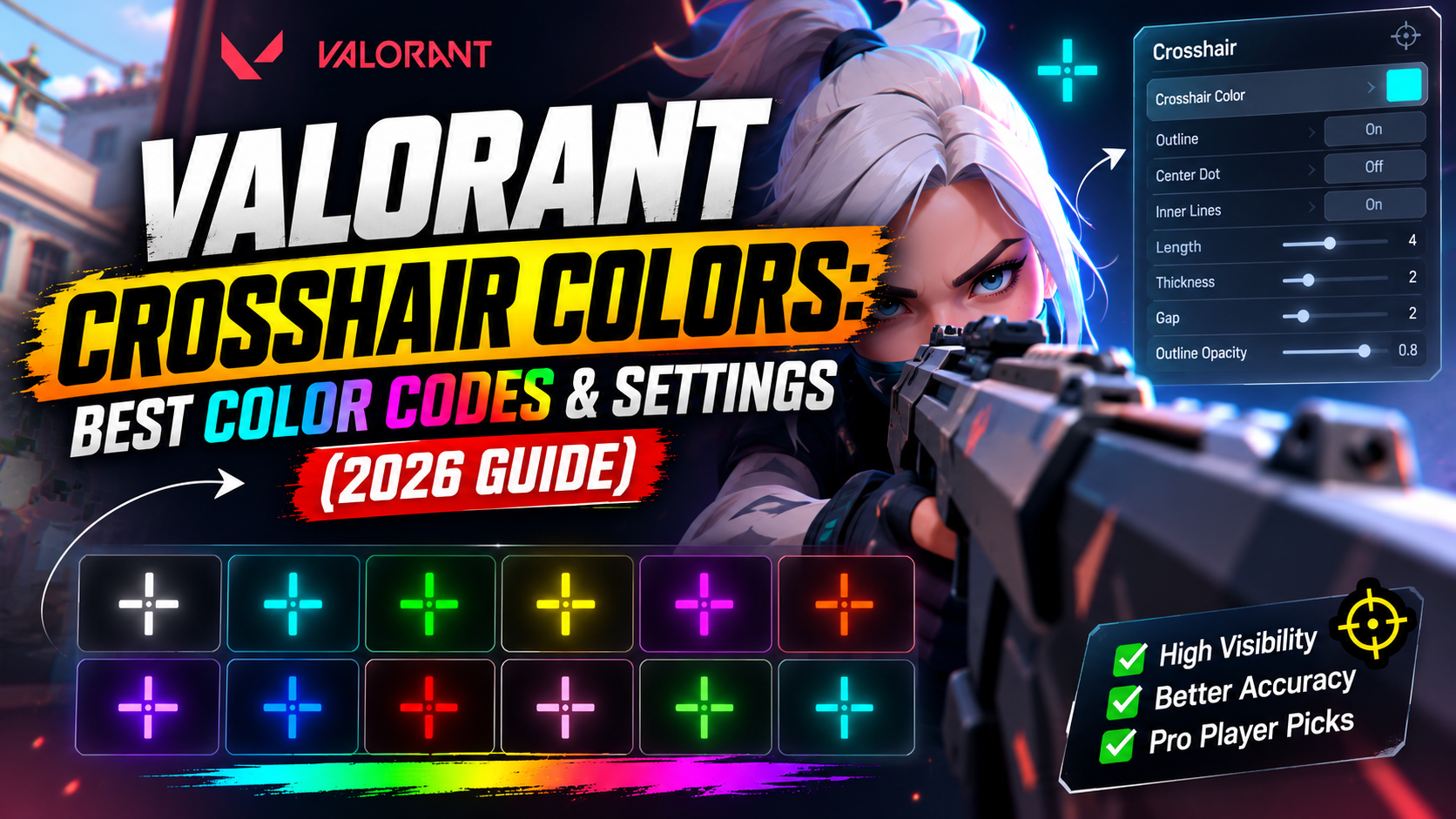
Here are the top picks used by most players right now:
|
Color |
Code |
Best For |
|---|---|---|
|
Cyan |
#00FFFF |
All maps, most popular choice |
|
Neon Green |
#00FF00 |
Dark or grassy maps |
|
Sky Blue |
#00B5FF |
Bright maps like Ascent |
|
Yellow |
#FFFF00 |
Dark corners and shadows |
|
Pink |
#FF69B4 |
Players who want something unique |
Cyan is the number one pick for most players because it stands out on almost every map background without hurting your eyes.
Black Crosshair in Valorant
A black crosshair in Valorant is popular with players who don't like bright, flashy colors. It looks clean and doesn't distract you.
Code: #000000
Keep in mind black works best only as an outline color, not the whole crosshair. If your whole crosshair is black, it can be hard to spot on darker maps like Icebox or Bind. Many players use black just for the outline and a bright color for the center dot.
Small White Crosshair in Valorant
A small white crosshair is a favorite for players who want a clean, simple look. White feels natural if you're coming from another game where white is the default.
Code: #FFFFFF
One thing to know: white crosshairs can be tricky on bright maps like Ascent or Sunset, since they blend into the sky or light walls. If you're new to the game, try a brighter color first, then switch to white once you're used to aiming.
Dark Blue Crosshair Color for Valorant
Want something calmer than neon colors but still easy to see? A dark blue crosshair is a good middle ground.
Code: #00008B
This shade works well on maps with lots of green or brown tones, since blue stands out against those colours. It's less "loud" than cyan or neon green, which some players prefer during long gaming sessions.
Valorant Red Dot Crosshair
The red dot is a classic choice, especially for players who come from other shooting games. Red feels sharp and easy to focus on.
Code: #FF0000
One tip: check your enemy outline color before picking red. If enemies are also highlighted in red when you hit them, it can get confusing. Many players pair red with a black outline to make it pop even more.
Fluorescent Crosshair Codes
"Fluorescent", sometimes spelt "florescent", refers to a super-bright, glowing color. These are the colours that seem to jump off your screen.
Here are the best fluorescent-style codes:
-
Fluorescent Green: #39FF14
-
Fluorescent Yellow: #DFFF00
-
Fluorescent Pink: #FF10F0
-
Fluorescent Cyan: #18FFFF
These colours are great if you play on maps with a lot of shadows, smoke, or dust, like Bind or Icebox. They cut through visual clutter better than soft or pastel colours.
How to Change Your Crosshair Color in Valorant
Setting a new crosshair color takes less than 30 seconds. Here's how:
-
Open Valorant and go to Settings
-
Click the Crosshair tab
-
Go to the Primary section
-
Find Crosshair Color and click the dropdown
-
Select Custom
-
Type or paste in your chosen hex code (example: #00FFFF)
-
Save your profile
That's it. Your new color will show up right away, so you can test it before jumping into a match.
Best Crosshair Color By Map
Not every color works the same on every map. Here's a quick guide:
-
Ascent (bright, sunny map): Sky blue or dark colors work best
-
Bind (sandy, warm tones): Cyan or bright pink stands out well
-
Icebox (white, snowy map): Neon green or red is easier to see
-
Pearl (blue, ocean tones): Red or orange breaks up the blue background
-
Sunset (warm, orange map): Cyan or blue works great
If you play ranked a lot, it might help to set up a few different color profiles for different maps.
Frequently Asked Questions
What is the best crosshair color for beginners?
Bright colours like cyan, neon green, or yellow are easiest for new players to track. White and black can be harder to see at first.
Can I use any color for my crosshair?
Yes. Since Patch 5.04, Valorant lets you enter any hex color code, giving you access to millions of color options.
Does crosshair color actually improve my aim?
It won't make you a better shot by itself, but a crosshair you can see clearly, every time, helps you react faster and track enemies better.
What color do most pro players use?
Cyan and green are the two most common colours among competitive and pro players, since they stand out on almost every map.
Final Thoughts
Picking the right crosshair color is a small change that can make a big difference in how comfortable you feel while aiming. Start with a bright, simple color like cyan or green, test it out in a few games, and adjust from there based on which maps you play most. Once you find "your" color, stick with it. Being used to your crosshair matters more than the exact shade you choose.